Nursegrid Manager

Smart scheduling for care teams

Smiling male and female healthcare professionals in navy blue scrubs, the male wearing a stethoscope around his neck, looking at each other.
Young woman in blue scrubs with a yellow lanyard sitting at a table with a laptop, papers, and a glass of orange juice, looking at her phone.
Why Nursegrid manager

Trade spreadsheets for a smarter, mobile-connected solution

Nursegrid Manager makes it easy to schedule, coordinate, and communicate with your care team, all in one place.
  • Create, manage, and share schedules in minutes
  • Review and respond to shift changes in real time
  • Seamlessly integrate with the Nursegrid App
  • Keep it cost-effective at just $5/user per month

Modern solutions for effortless scheduling

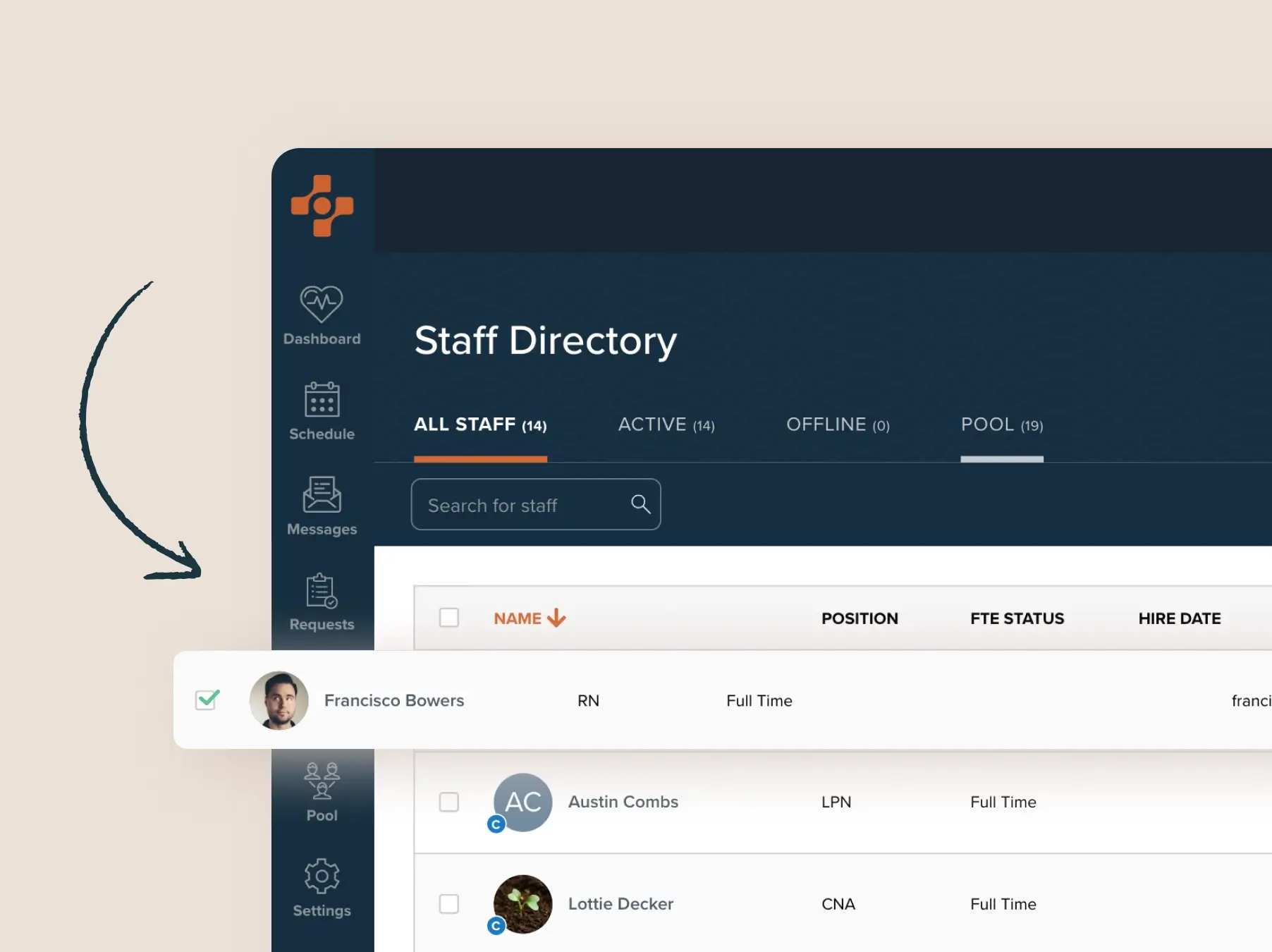
Staff directory interface showing tabs for All Staff, Active, Offline, and Pool, with a search bar and a list of staff including Francisco Bowers (RN, Full Time), Austin Combs (LPN, Full Time), and Lottie Decker (CNA, Full Time). A checkbox next to Francisco Bowers is selected.
1/5

Digitize your entire process

Say goodbye to spreadsheets. Nursegrid Manager digitizes scheduling to simplify updates, improve visibility, and keep your team connected.
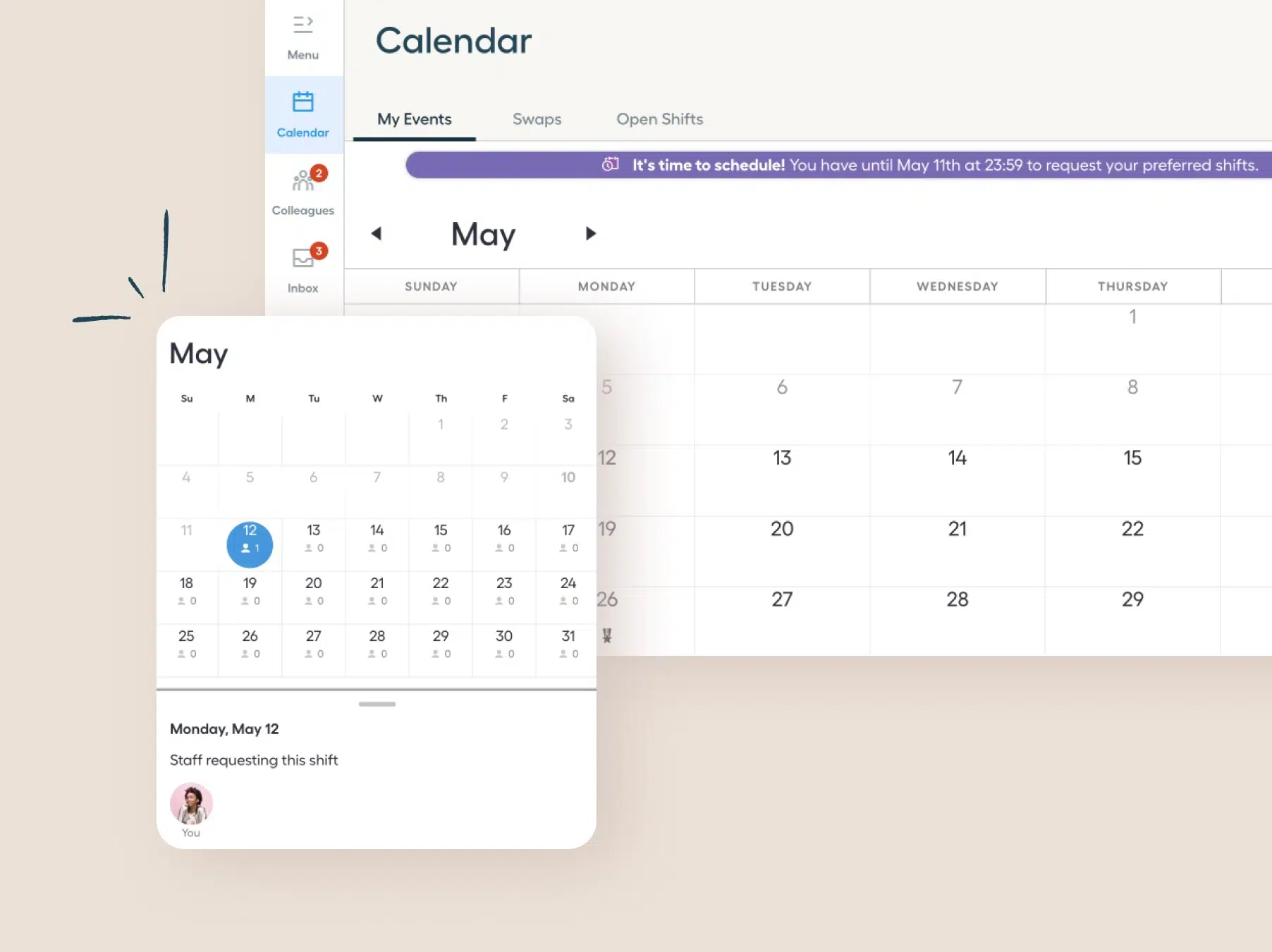
Digital calendar interface displaying May with tabs for 'My Events,' 'Swaps,' and 'Open Shifts.' The date Monday, May 12 is highlighted with a blue circle indicating one staff member requesting this shift, shown with a small avatar labeled 'You.' Notifications show 2 for colleagues and 3 for inbox messages.
2/5

Enable self-scheduling

Empower your staff to choose shifts, coordinate with each other, and stay up to date with real-time updates sent to the Nursegrid mobile app.
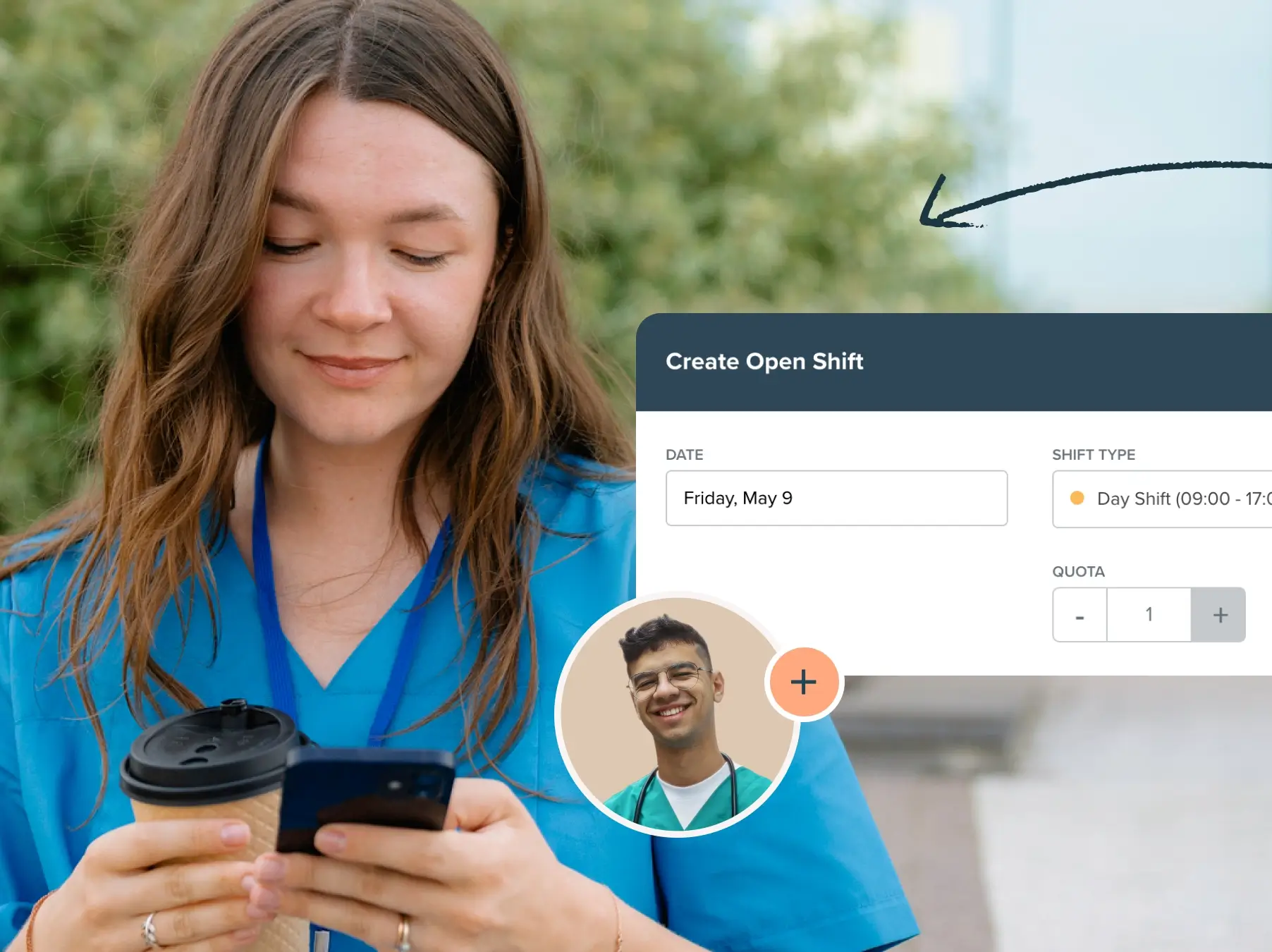
A young woman in blue medical scrubs holds a coffee cup and uses her smartphone outdoors, with greenery in the background; an inset shows a medical app interface for creating an Open Shift with date Friday, May 9, day shift hours, and a smiling young male healthcare worker in a circular frame with a plus sign.
3/5

Fill open shifts with ease

Visible gaps in the schedule let your team pick them up faster and easier than ever—reducing delays and helping ensure every shift is covered.
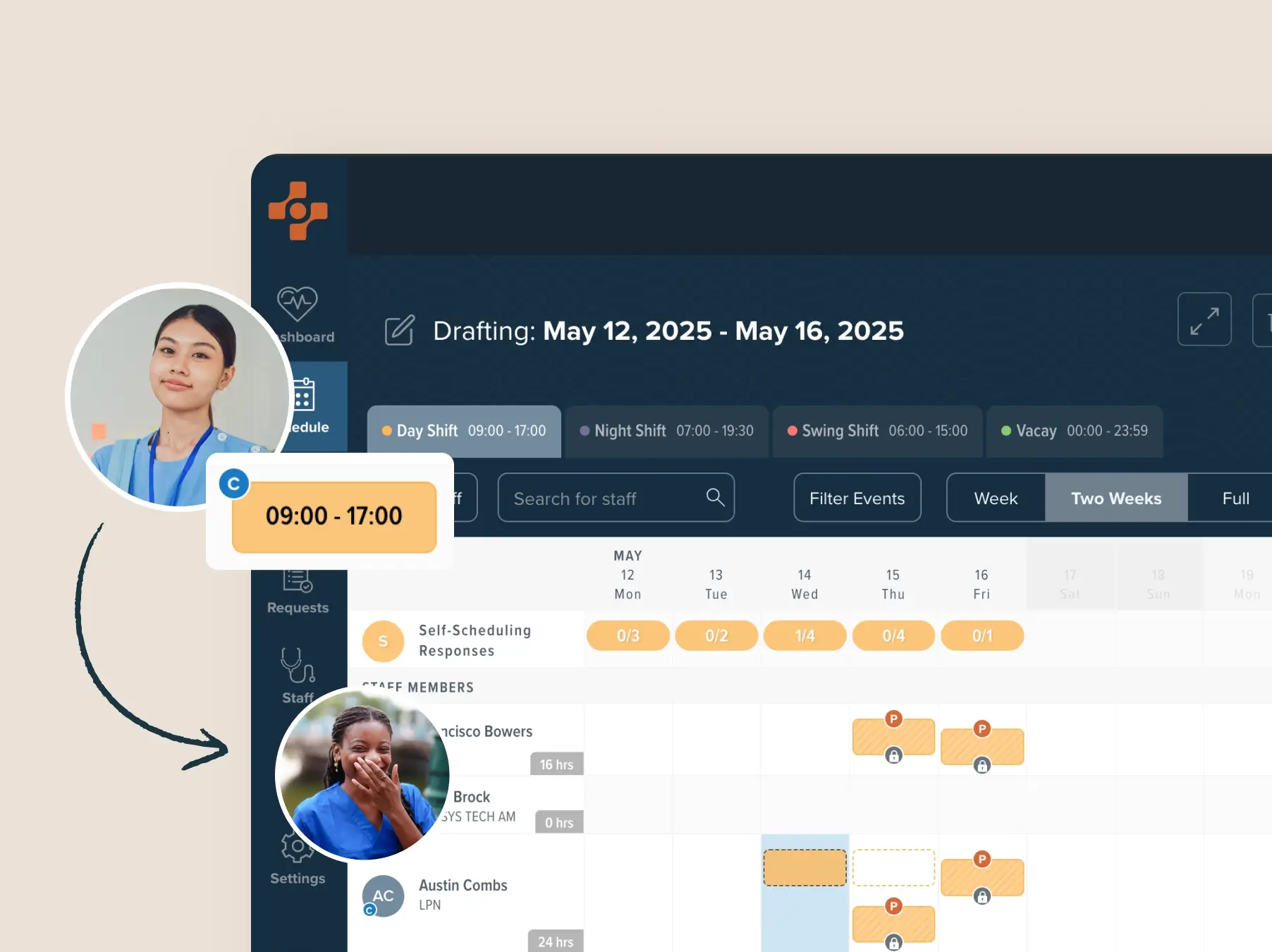
Hospital staff scheduling interface showing draft schedule for May 12 to May 16, 2025 with day, night, swing shifts, and vacation time, alongside profile photos of two female healthcare workers and shift details for staff members including hours worked and scheduled shifts.
4/5

Manage swaps & giveaways

Allow staff to easily trade shifts among themselves, while you stay in control by approving or denying changes with just a single click.
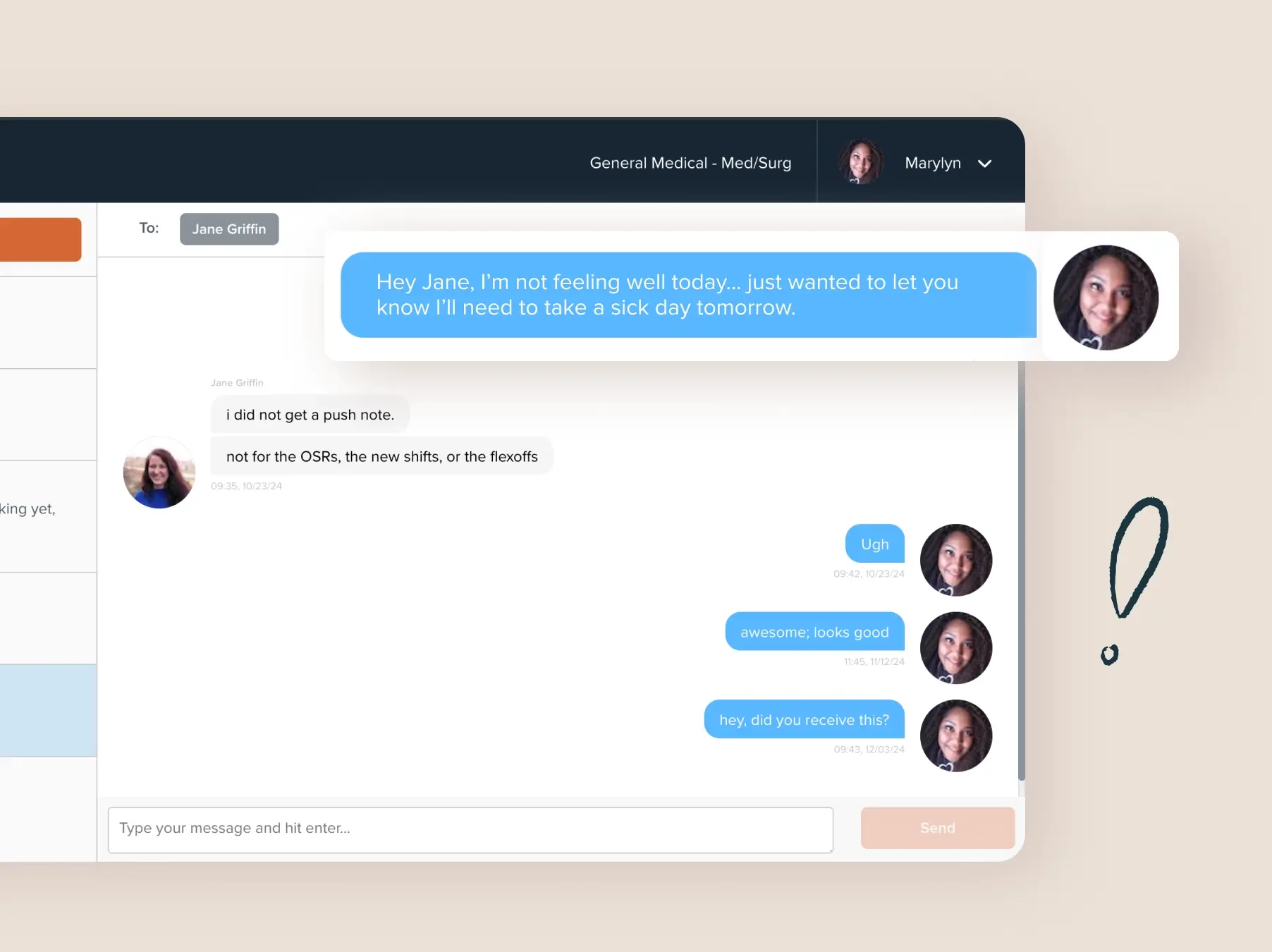
Screenshot of a messaging app conversation between two users, Marylyn and Jane Griffin. Marylyn's messages are in blue bubbles on the right, including a message saying she is not feeling well and needs a sick day tomorrow. Jane's messages are in gray bubbles on the left, mentioning not receiving a push note for OSRs, new shifts, or flexoffs. User avatars with photos appear next to respective messages. The interface includes a message input box at the bottom and labels showing the conversation is for General Medical - Med/Surg.
5/5

Send updates directly

Leverage your team’s preferences and availability to build and distribute schedules—updates are sent in real time to the Nursegrid App.


A horizontal pattern of repeated geometric shapes including squares, circles, and quarter circles arranged in a continuous row.
The #1 app nationwide

Management loves Nursegrid

Five star rating

Clean look. Needed a more modern tool. Tired of paper that gets messy and lost.

Vinson w.
RN
Five star rating

Nursegrid is easy to use both as an administrator and a user. The ease of scheduling is great, and the price point is where most companies would want it to be for its intended purpose.

renee m.
staffing coordinator
Five star rating

I enjoyed using it, my staff enjoyed using it and new hires were familiar with it.

veronica h.
Manager
Five star rating

Employees can access it from anywhere!

Erica e.
Director of Cardiopulmonary
Five star rating

I like that you have different ways of performing functions depending on where you are at in the platform.

tonya d.
Director of Radiology
A woman in blue scrubs with a stethoscope around her neck sits on outdoor steps, smiling while using her smartphone.
For teams of 2 to 250

Meet your care team where they are

Nursegrid Manager is integrated with Nursegrid Mobile, the #1 app for nurses. Bring your staff together on a platform they already trust.

Try it free for 30 days

Once you get started, you’ll be up and running in just a few simple steps:
An illustration of five colored squares arranged in a row with three on the bottom and two on top, with an arrow pointing downward from the top squares to the space between bottom squares, suggesting a reorganization or merging.
1. Select your worksite
Geometric heart shape made of two semicircles, an orange triangle, and a yellow diamond inside a light circle with a dark border and a horizontal rectangle beneath it.
2. Define your department
Icon of four basic geometric shapes forming a house: a peach circle on top left, a green triangle on top right, a blue square on bottom left, and a yellow square on bottom right, with a horizontal rectangle below them.
3. Add different shift types
Abstract graphic of a yellow circle above a tilted green square with three short lines beside the circle, above a horizontal rectangle outline.
4. Invite your staff with ease

FAQs

How much does Nursegrid Manager cost?
Bold navy blue plus sign with rounded ends.
What kind of teams use Nursegrid Manager?
Bold navy blue plus sign with rounded ends.
Can I use Nursegrid Manager for all types of staff?
Bold navy blue plus sign with rounded ends.
How does Nursegrid Manager work with the mobile app?
Bold navy blue plus sign with rounded ends.
Young woman in blue medical scrubs and glasses walking outdoors with a large white tote bag over one shoulder, looking upward thoughtfully.

Your time matters—start saving more of it

Add your facility, invite your staff, and start building schedules right away.

Still have questions?

Can’t find the answer you’re looking for? Please chat with our friendly team.